The Galactic Hub Cartography Project
This page describes the method that players can use to collect in-game data to expand the Galactic Hub Cartography Project. To facilitate collecting this data, it may be helpful to use quest markers, your freighter marker, base markers, etc. as visual bookmarks of anchor systems in the galaxy map. Essentially, to expand the map, you will need to record a new system's distance from each of the pre-existing anchor points (at time of writing, there are four in Euclid and five in Calypso)
If you don't care about how it all works and want to get straight to mapping, it's at the bottom under Network Expansion
Before we can begin, I think it would be helpful to explain some definitions and the big picture. Fun things first.
The Big Picture
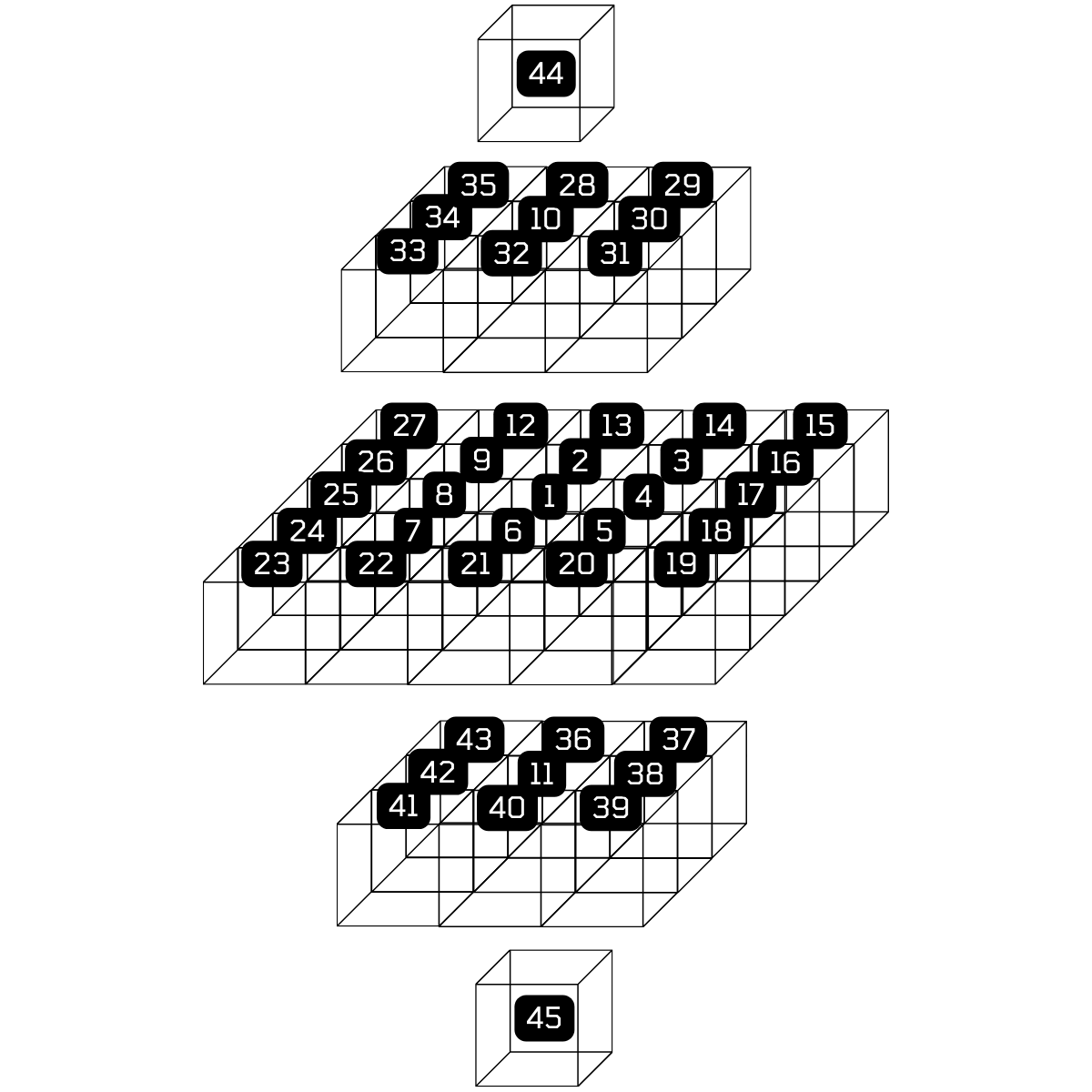
Working Hubmap: A wireframe of Calypso hubspace. At time of writing, there are five anchors in [HUB][44,25,17,45,21]
My vision for this project is that we have a fully mapped out hubspace. Because of how the relative positions are calculated (a series of progressively improving trilaterations then n-laterations), spatial layout of systems on the galaxy map is preserved when close to an anchor point, which gives us a way to create our own galaxy map, but load it with way more handy information (that already exists on the wiki...). However, because we are not HG, we have to do some legwork by adding systems on the outskirts of the established network into the network. Over time and progressive expansion, all of this data can be used to make an increasingly precise map of hubspace.
Understanding the Hubspace Network
All data that is loaded into the map comes from a growing database of JSON objects that contain specific parameters about each system that has been mapped. The JSON object for a particular mapped system may look like:
  {
	id: "[HUB#-####]"
    name: "Real System”,
    anchors: “{
		“A”: 0,
		“B”: 0,
		“C”: 0,
		…etc
    }”,
    color: “red”
	is_anchor: false,
	 anchor_id: 0,
	confidence: 0,
	 galaxy: 'calypso'
  },
(As a cartographer for this project, you can ignore the anchor_id, is_anchor and confidence attributes. They are used for internal calculations/validations.)
With this user-input data, the map will pull down wiki data about the system (if it exists) and display it as a pop up for the system in the map. Most attributes explain themselves, but the anchors deserve some special attention.
Anchor points are systems with whom all other systems in-network have a recorded distance. This means that every system in the map has a defined attribute for that anchor system, equal to the distance from the anchor point to the new system. The more anchor points we have, the better our map gets, but this requires a lot of time when you have many nodes. Realistically, expansion of anchor points will be much slower than expansion of network points, which will be fine as three to five anchor points already establish a coordinate system very well.
Once these anchor point distances are recorded and submitted, they are used in a more robust version of a process called trilateration to determine their position relative to the established anchor points (like with GPS!). Through this process, we can make a high spatial fidelity map of hubspace, or really any chunk of the galaxy you care to enter the data into.
In the future, the idea is to link these mappings of systems, complete with information straight from the wiki, to make a utility similar to the in-game galaxy map pathing but for more detailed and varied routes (i.e. make a route that only goes through systems with cargo bulkheads as guild rewards, or a tuned trade route)
The Index of Anchors
EUCLID ANCHORS
| Anchor Point | System Name | Glyph | Distance from A | Distance from B | Distance from C | Distance to D |
|---|---|---|---|---|---|---|
| A | [HUB12-416] Lion Shield |  |
0 | 691 | 1334 | 967 |
| B | [HUB1-74] Sun Tzu |  |
691 | 0 | 875 | 435 |
| C | [HUB7-3FE] Aniwani |  |
1334 | 875 | 0 | 1148 |
| D | [HUB22-406] Legods |  |
967 | 435 | 1148 | 0 |
CALYPSO ANCHORS
| Anchor Point | System Name | Glyph | Distance from A | Distance from B | Distance from C | Distance to D | Distance to E |
|---|---|---|---|---|---|---|---|
| A | [HUB44-A] Tashat |  |
0 | 1473 | 1136 | 1368 | 946 |
| B | [HUB45-A] Nasfiel-Nit |  |
1473 | 0 | 1127 | 1134 | 1016 |
| C | [HUB17-A] Ochleac |  |
1136 | 1127 | 0 | 1848 | 1043 |
| D | [HUB25-A] Snezhna |  |
1368 | 1134 | 1848 | 0 | 1390 |
| E | [HUB21-1E] Sidusius |  |
946 | 1016 | 1043 | 1390 | 0 |
Notice that this table is symmetric along the diagonal. It should never not be!
Network expansion
To help grow the Hubspace Network, follow these steps:
- Use each anchor's hubtag to find its glyph, then use a portal to get to the anchor.
- Mark the anchor points on your galaxy map. This could mean renaming them, pinning them, or using another method that works for you. If you go to the quest NPC in the system's space station and select any of the quests, there will be a quest marker shown in the galaxy map for that system.
- Visit any unmapped system in Hubspace.
- Open the galaxy map, and record the distances from this system to each of the anchor points.
- Submit your data via the map's website.
- Alternatively, you can use this CSV format for your data collection (pay attention to where quotations are!). This option is preferred for larger sets of entries:
| id | name | anchors | color | is_anchor | anchor_id | confidence | Galaxy |
|---|---|---|---|---|---|---|---|
| [HUB44-A] | Tashat | "{"A": 0, "B": 1473, "C": 1136, "D": 1368, "E": 946}" | yellow | true | A | 0 | calypso |
Sample data collection
This section uses a particular star system as a sample for how to collect the needed data.
So, you’ve found a star that’s in hubspace but not yet mapped. For our example, system Zouche
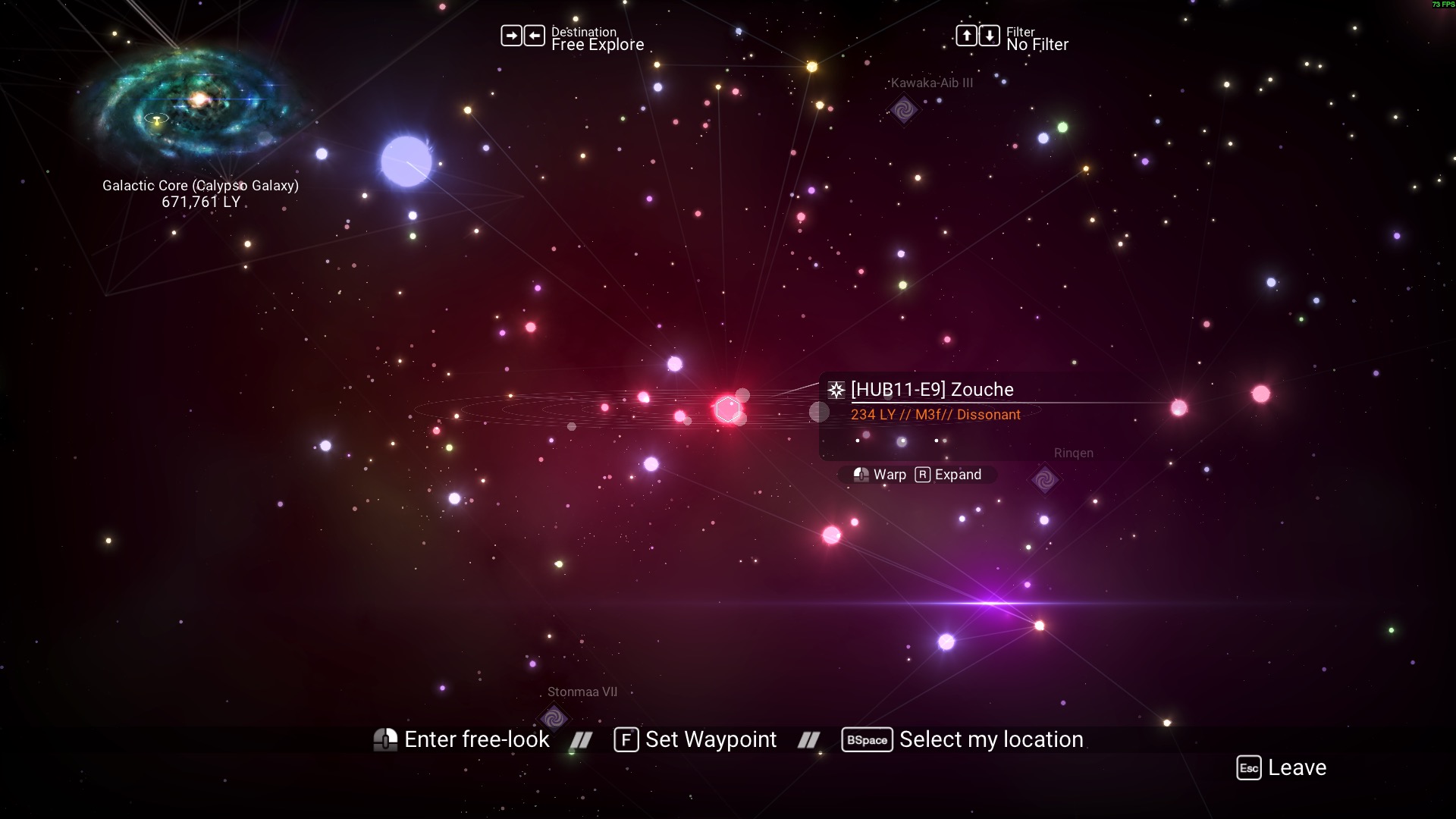
The first step is to travel to Zouche by whatever means available (freighter, portal, starship, etc.).
Next, you will need to record the distances of each anchor to this system. For this step, it is strongly recommended to mark the anchor points by placing a place in the anchor system, or putting your freighter there, or any other way to mark the systems so you can quickly navigate to them in the galaxy map.
Since Zouche is in calypso, we will need to locate the five anchors given above:
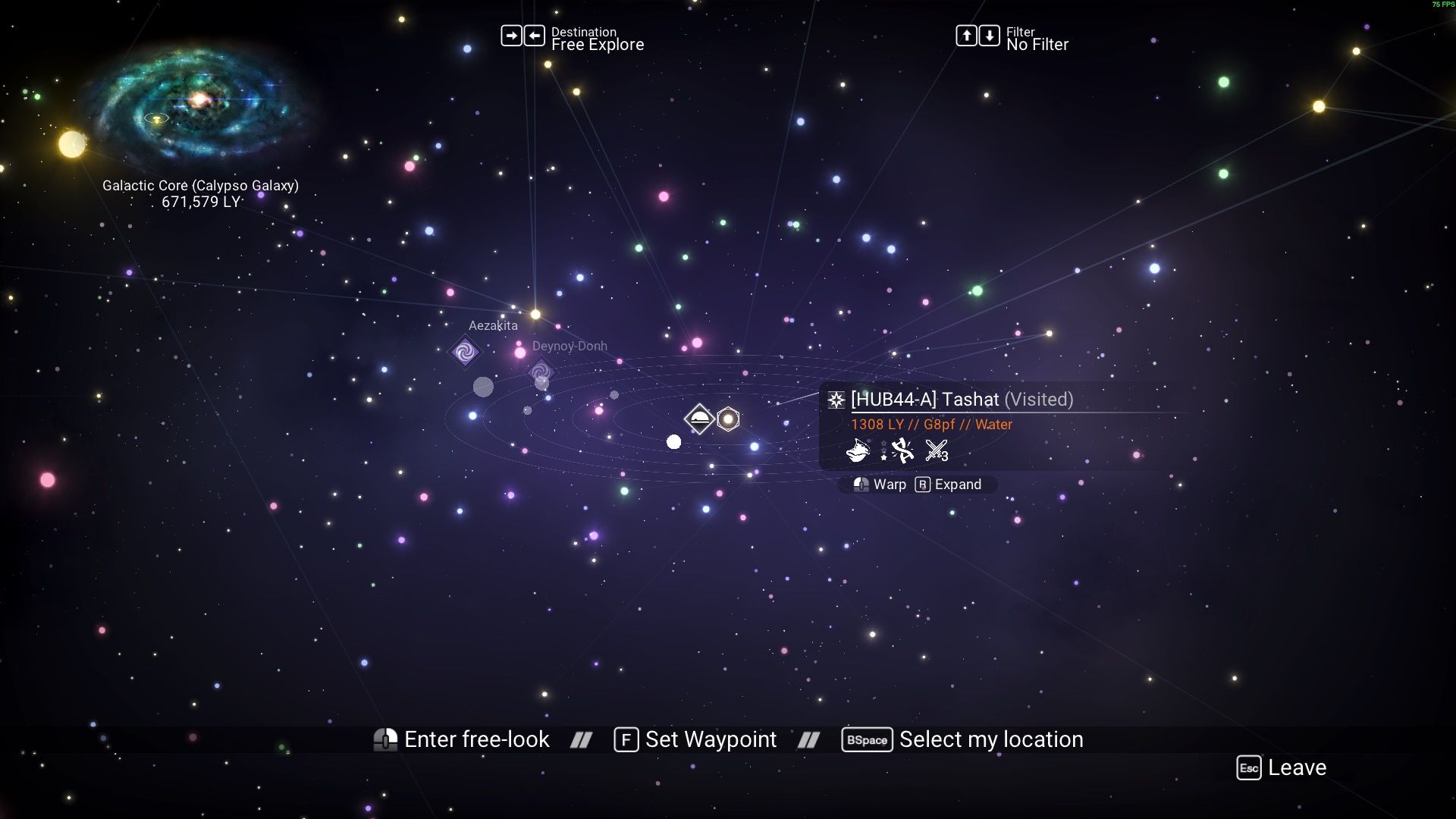
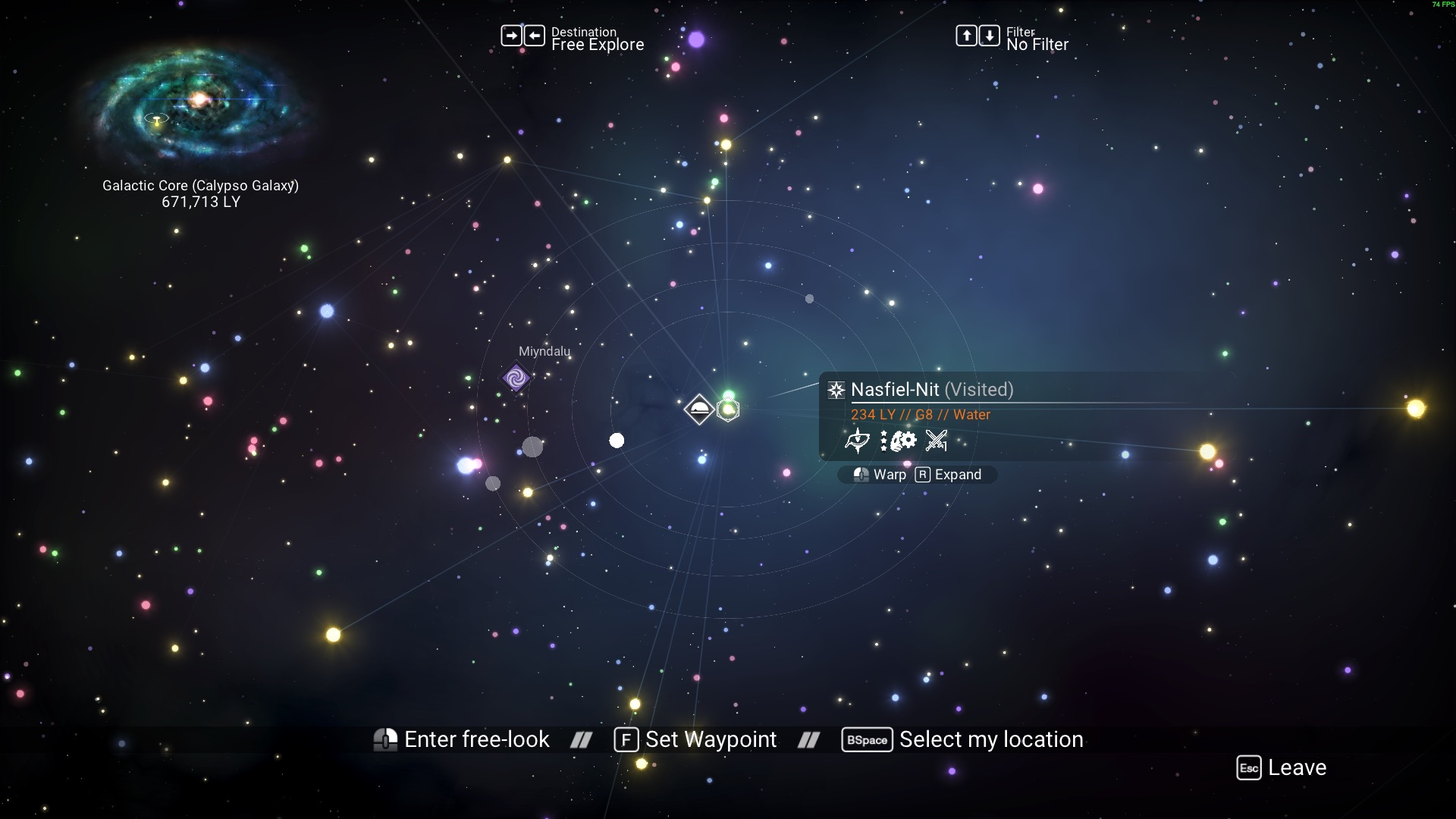
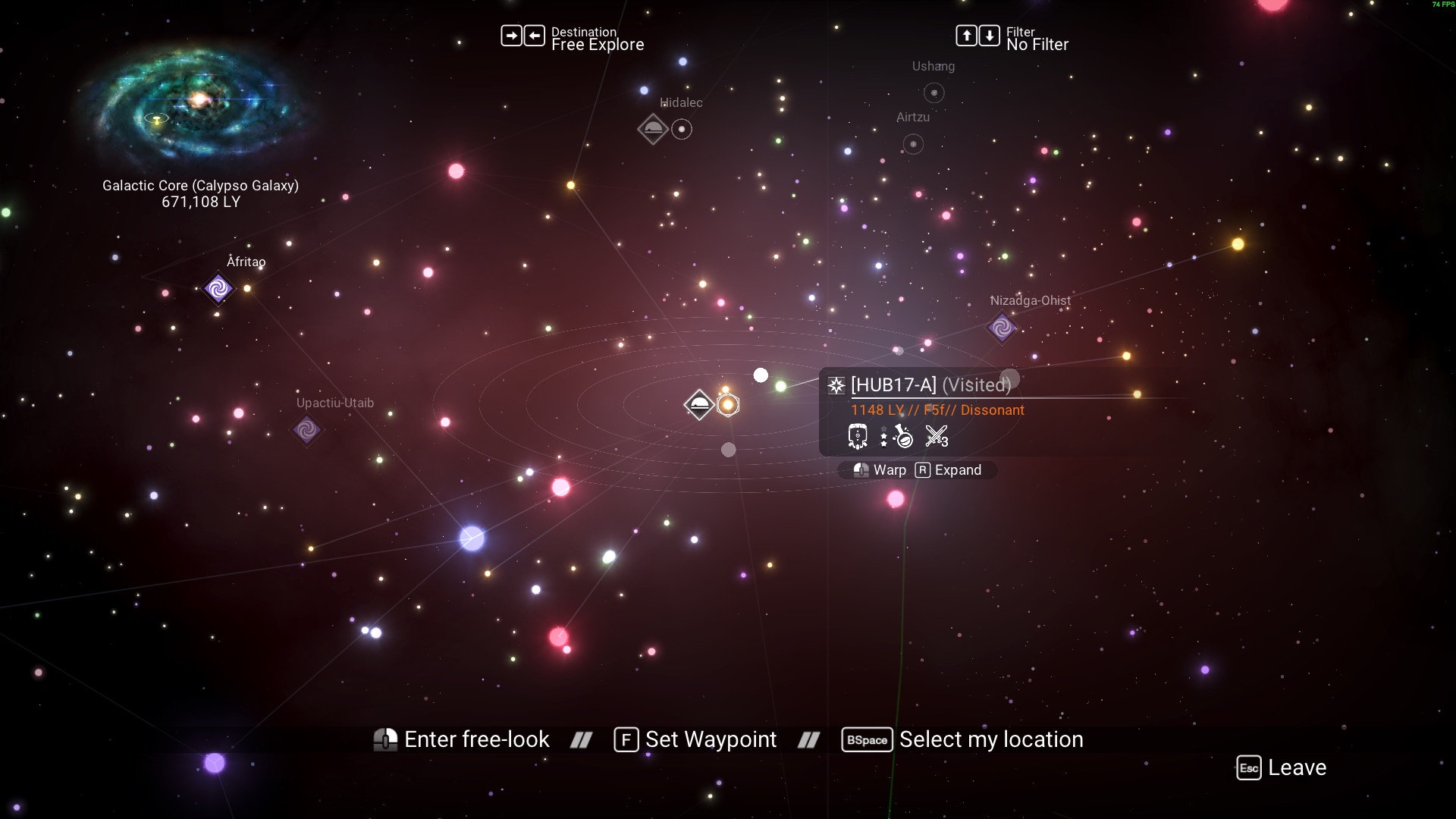
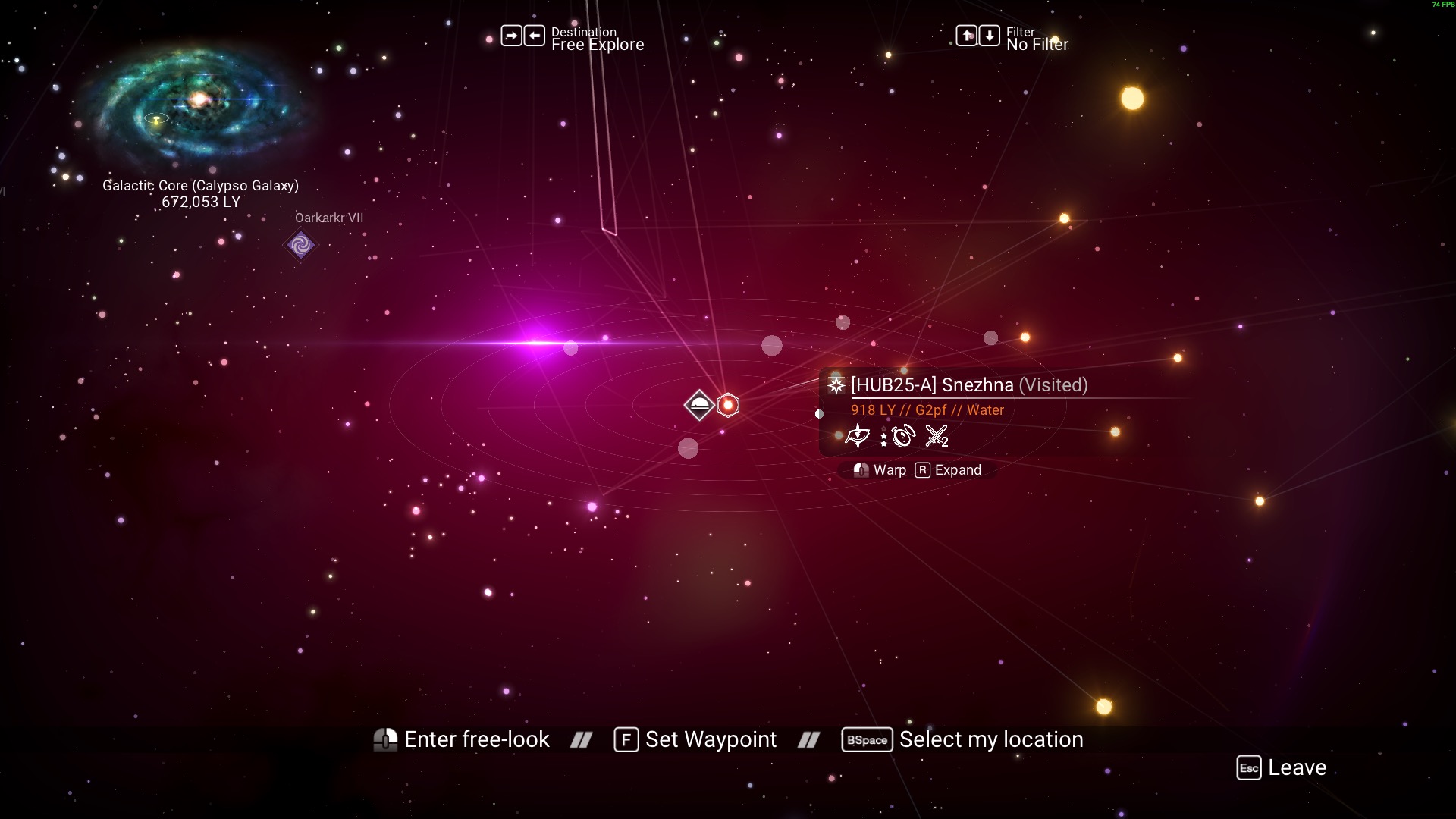
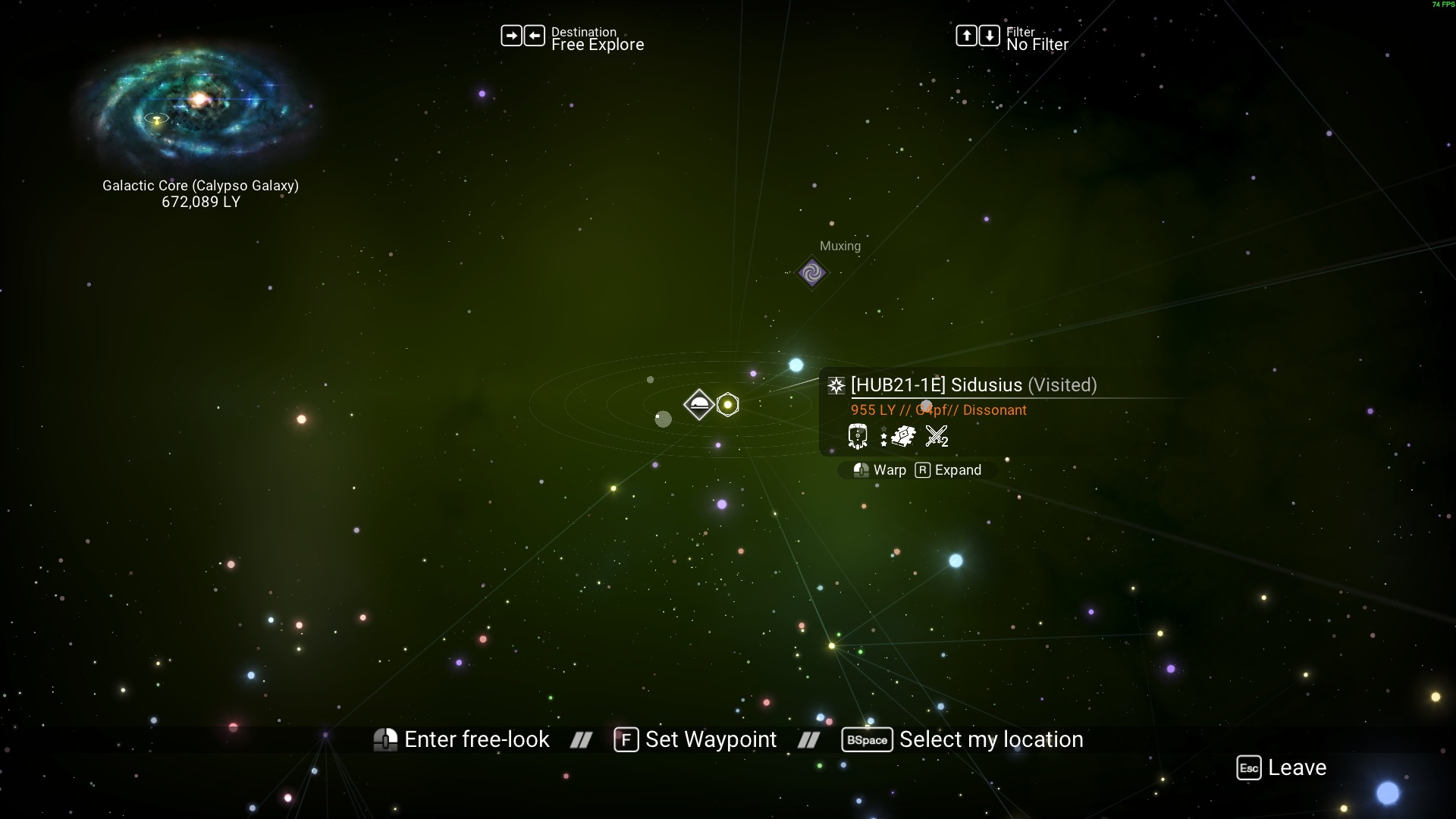
On the site, press the "initialize target" button and enter the data based on these distances:
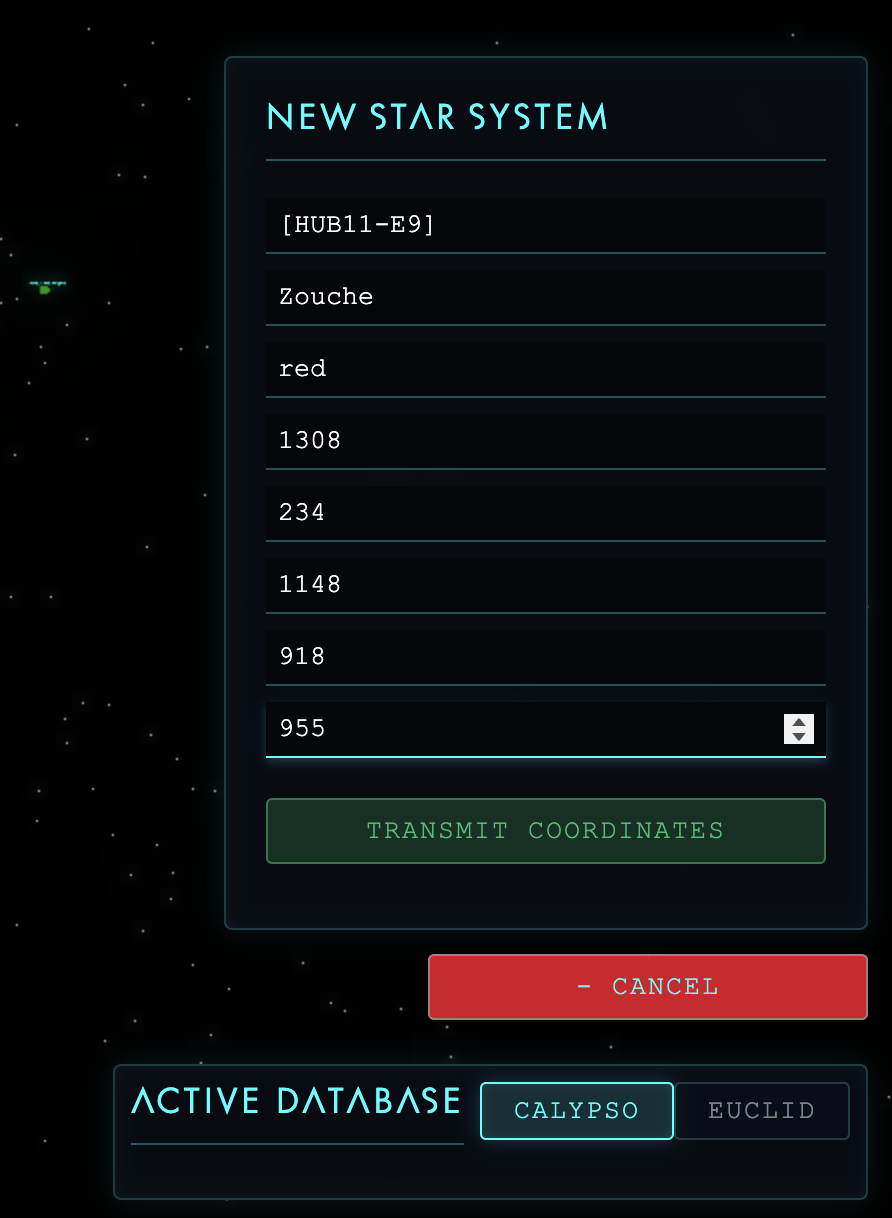
And that's it! Once you press "Transmit Coordinates", the server will receive your data and your map should automatically reload with the new system present.
For now, I will personally work on establishing more anchor points in the network.
Atlas Eye View: User Interface Guide
This section is dedicated to explaining each element of the map's UI
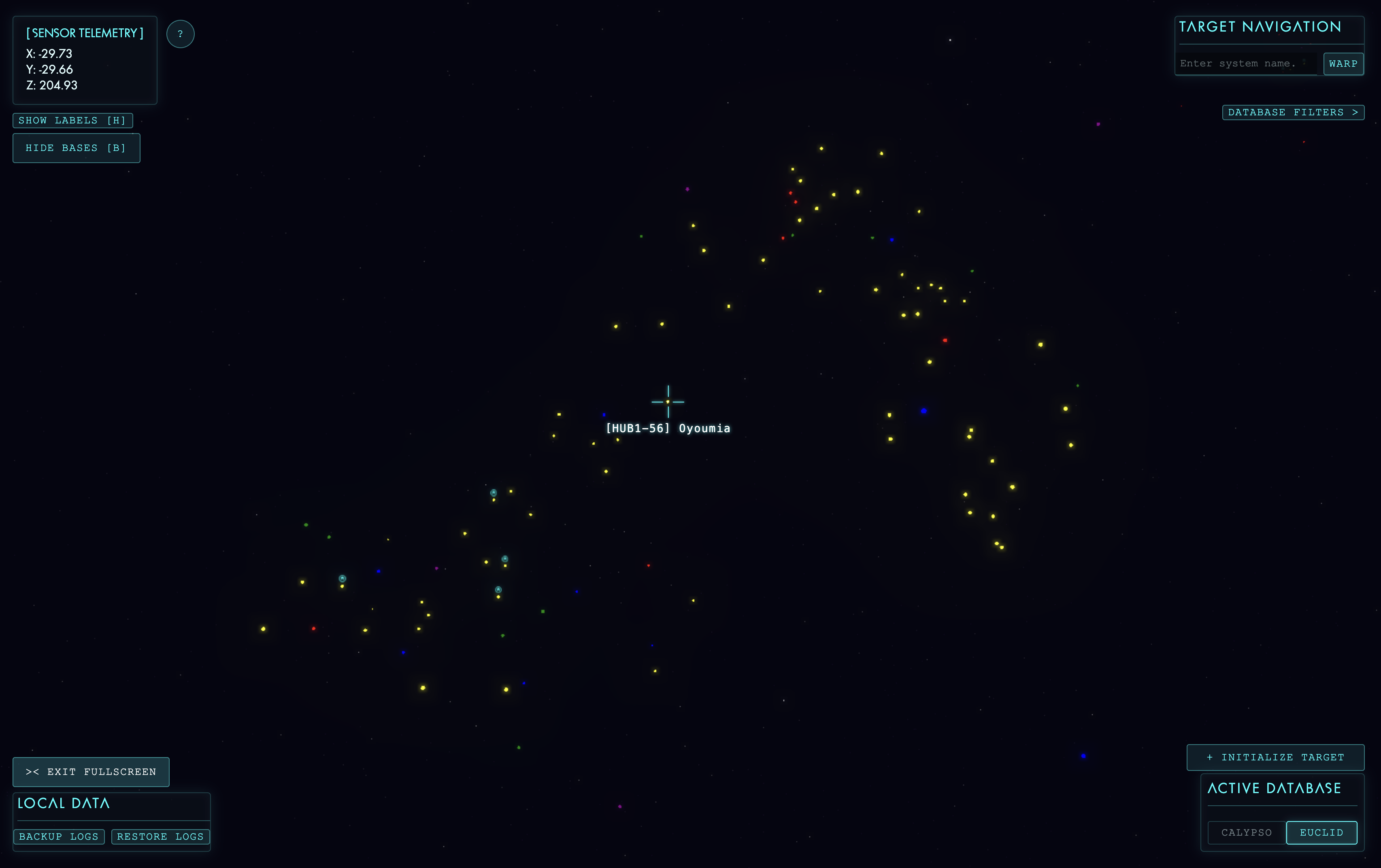
Interactive Overlays
-
Targeting Crosshair: Located in the center of the viewport, it snaps to nearby star systems as you navigate, locking on to display the system's identification tag and name as in the real galaxy map.
-
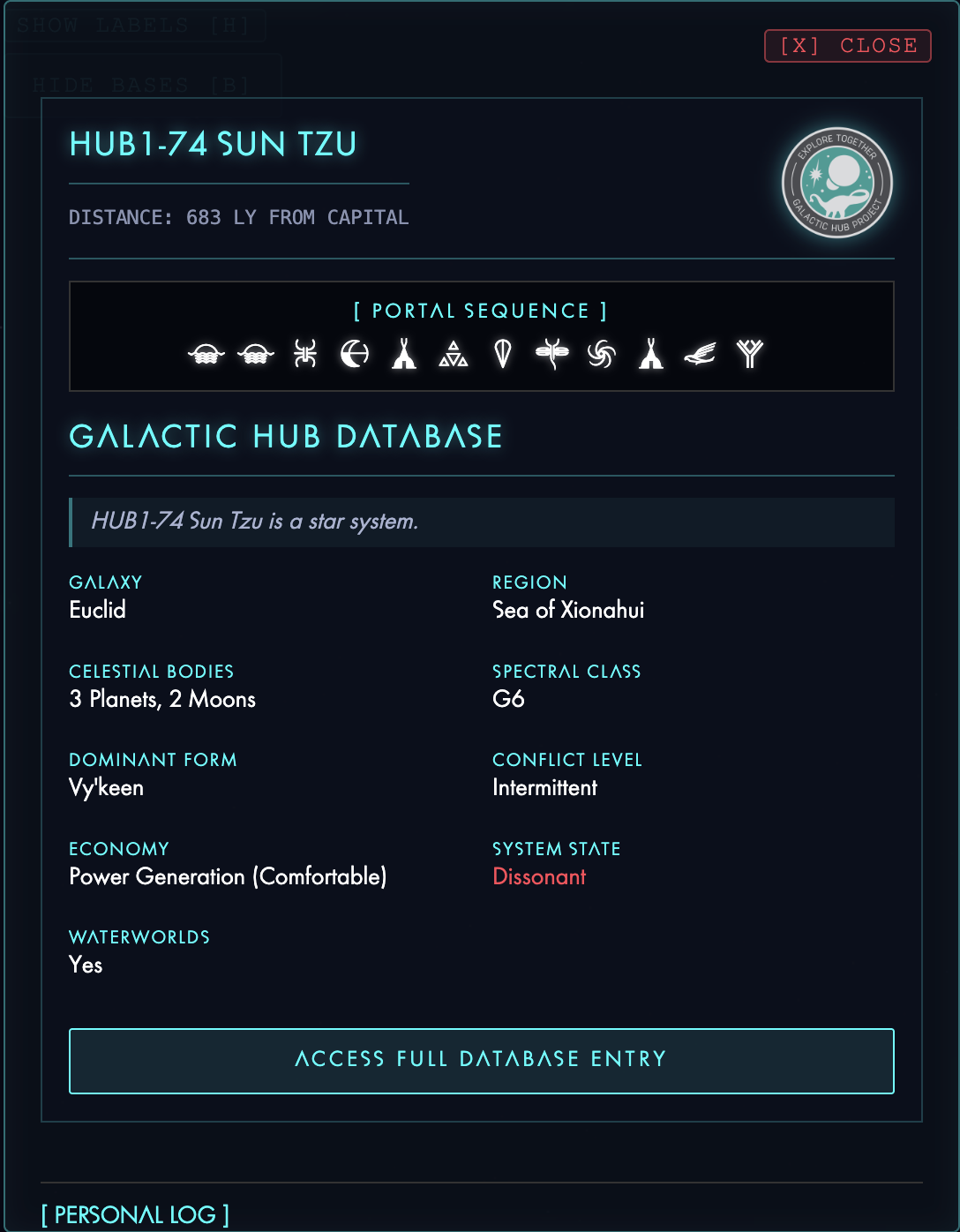
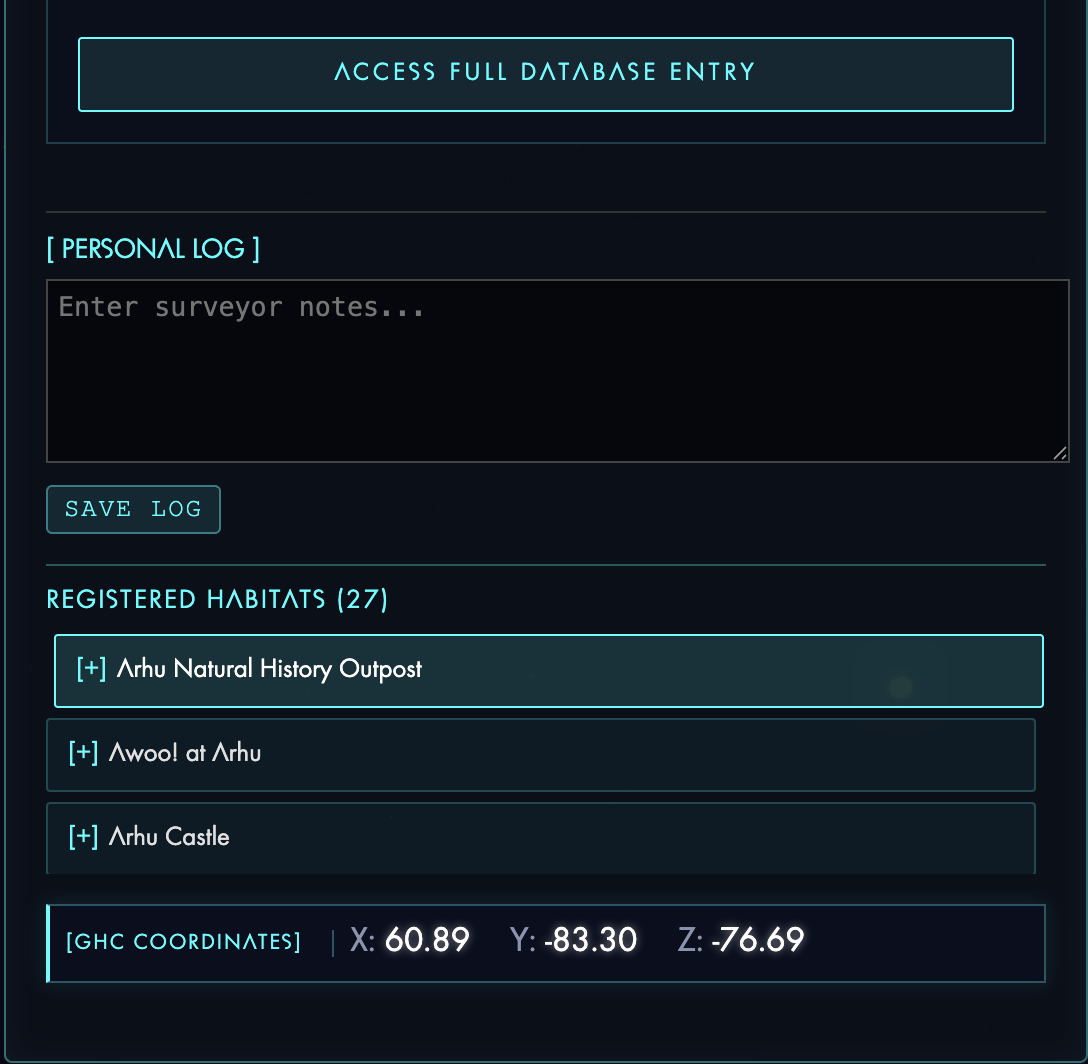
System Data Panel: Opens when left-clicking a locked star to display live Galactic Hub Wiki data, portal glyph sequences, system coordinates, registered habitats, and a local surveyor log for personal notes.
 |
 |
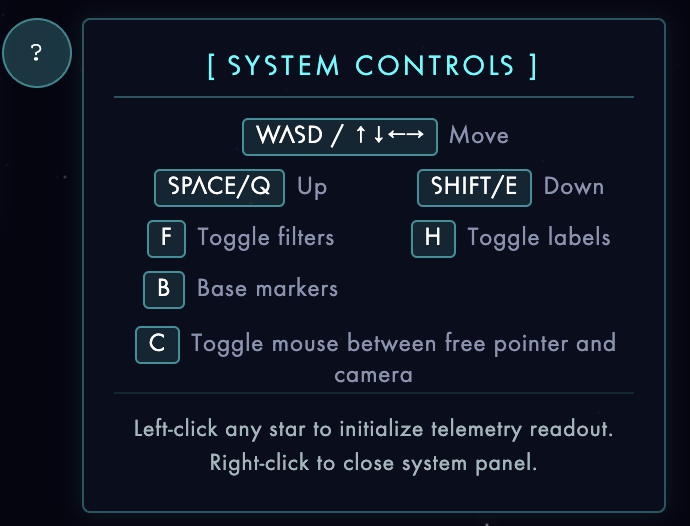
- Controls Help: A toggleable button that reveals a tooltip detailing the keyboard and mouse controls for orbital flight, free flight, and UI interaction.
Navigation and Search
-
Target Navigation: A search bar and warp button that allows you to look up specific anchor systems by name and instantly snap the camera to their location.
-
Active Database: Tabs located at the bottom right to switch the map's rendering between the Euclid and Calypso galaxies.
-
Initialize Target: A collapsible form to transmit new star systems to the database by inputting a hubtag, name, star color, and distances to established anchors.
-
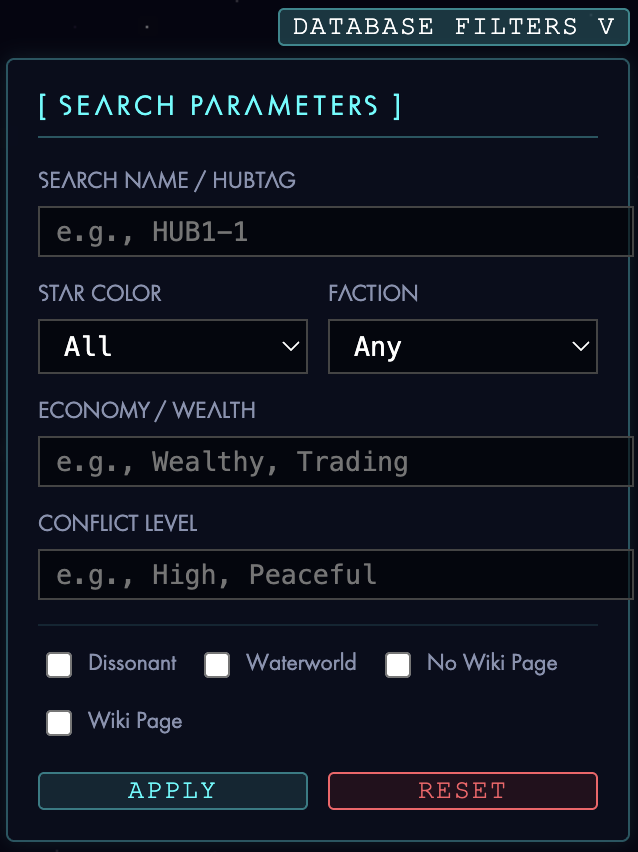
Database Filters: The map can be toggled to show only those systems that satisfy set criteria.
Telemetry and Management
-
Sensor Telemetry: A real-time readout in the top left corner displaying the camera's exact X, Y, and Z spatial coordinates.
-
Display Toggles: Readily available buttons to show or hide 3D base markers, system text labels, or completely reset the camera view to the galactic origin.
-
Local Data: Import and export tools to backup personal surveyor logs and custom notes saved in the browser's local storage.
Looking forward
- Expanding anchor points and network points around region 1 is a high priority. Proving that the method works will be the most important thing right now
- Equipping the tool so that solo interlopers can develop their own local maps, then optionally merge it back to the main map
- Add an appealing UI with as much linked information as possible, including optimal routes for X goal (guild rewards, dissonant systems, systems with player bases, etc.)
- Expand parameter tracking in JSON